Text
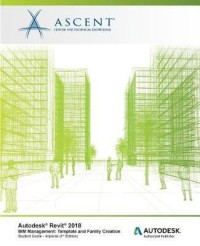
Autodesk revit 2018 BIM management : template and family creation
Building Information Modeling (BIM) is an approach to the entire building life cycle. Autodesk(R) Revit(R) for Architecture, MEP, and Structure is a powerful BIM program that supports the ability to coordinate, update, and share design data with team members throughout the design construction and management phases of a building's life. A key component in managing the BIM process is to establish a company foundation for different types of projects by creating standard templates and custom family elements. Having this in place makes the process of any new project flow smoothly and efficiently. The objective of the Autodesk(R) Revit(R) 2018 BIM Management: Template and Family Creation learning guide is to enable users who have worked with the software to expand their knowledge in setting up office standards with templates that include annotation styles, preset views, sheets, and schedules, as well as creating custom system, in-place, and component families. This learning guide contains practices that are specific to each discipline. Topics Covered Create custom templates with annotation styles, title blocks, and custom element types. Create schedules, including material takeoff schedules with formula. Create custom wall, roof, and floor types as well as MEP system families. Set up a component family file with a parametric framework. Create family geometry. Create family types. Modify the visibility of components and incorporate additional family items such as controls, MEP connectors, and nested components. Create specific families, including in-place families, profiles, annotations, and parameters. This learning guide also contains discipline-specific practices for families, including: doors, windows, railings, pipe fittings, light fixtures, gusset plates, and built-up columns. Prerequisites Students should be comfortable with the fundamentals of the Autodesk Revit software, as found in the Autodesk Revit 2018 Architecture Fundamentals, Autodesk Revit 2018 Structure Fundamentals, or Autodesk Revit 2018 MEP Fundamentals learning guides. Knowledge of basic techniques is assumed, such as creating standard element, copying and moving elements, and creating and working with views, etc. Information on Collaboration Tools, Conceptual Design, and Site and Structural Design are covered in additional learning guides.
Availability
Detail Information
- Series Title
-
-
- Call Number
-
720.2840285 Asc a
- Publisher
- s.l. : ASCENT., 2017
- Collation
-
multiple pages p. ; 25 cm.
- Language
-
English
- ISBN/ISSN
-
9781946571564
- Classification
-
720.2840285
- Content Type
-
-
- Media Type
-
-
- Carrier Type
-
-
- Edition
-
-
- Subject(s)
- Specific Detail Info
-
-
- Statement of Responsibility
-
-
Other version/related
No other version available
 Computer Science, Information & General Works
  Philosophy & Psychology
  Religion
  Social Sciences
  Language
  Pure Science
  Applied Sciences
  Art & Recreation
  Literature
  History & Geography